Get a demo

What's new

October 30, 2026

You can now build your iOS app with Xcode 27.1 in the cloud.

Xcode 27.1 on macOS 26 Tahoe

Pick the ios-macos-26-xcode-27.1 toolchain image for an iOS cloud build. It has the iOS 27.1 SDK and simulator runtimes 27.1, 27.0, 26.5, 26.2 and 18.5, including iPhone Duo. Xcode 27.0 stays the default, so nothing changes until you pin the new image in your build config or with --image. See toolchain images.

October 29, 2026

You can now test tablet layouts on Android, and Proof of Changes can check a change against its Figma design.

This release also adds revyl device set-fold-state, so you can fold or unfold a running iPhone Duo from the CLI or MCP.

Pixel Tablet

Start Android sessions and tests on Pixel Tablet with Android 14. Pick it like any other device. The screen has no phone camera cutout, the viewer keeps the tablet’s orientation as it rotates, and clearing text after a rotation targets the right field.

Figma in Proof of Changes

Link a Figma frame in your pull request description, and the proof agent reads it. It captures the same screen on the device, compares the two, and names the visible differences your change made. This uses your organization’s Figma team connection: an owner or admin adds a token under Integrations → Figma. Read about Proof of Changes.

The Figma integration connected as a team connection that proof-of-changes agents use

October 27, 2026

You can now turn on Capy and Devin yourself and hand work from Revyl to your own coding agents.

This release also doubles the credits in the Free plan for new organizations, and web tests now run inside workflows next to iOS and Android.

Capy and Devin

An owner or admin turns on Capy or Devin in Settings → Experiments, then connects your own key under Integrations. Send an Atlas screen or a test report to an agent to fix or investigate. Capy can also prove your pull requests. Agent usage bills your Capy or Devin account. Set up Capy.

October 26, 2026

Your team can now turn on web testing and a faster test agent yourselves, from Settings → Experiments. You can also test foldable layouts on iPhone Duo.

This release also opens GitLab to every organization.

Web testing

Web testing is now open to every organization. An owner or admin turns on Web apps in Settings → Experiments; it isn’t on by default. The confirmation shows the rate before you opt in. Turning it off hides Web but keeps your apps and builds, and sessions already running finish.

A faster test agent

Owners and admins can move their organization’s runs onto a faster test agent from Settings → Experiments. It covers every run, CI included. Runs already in progress keep the agent they started with.

iPhone Duo

Run sessions and tests on iPhone Duo with iOS 27.1. Add a fold state step to fold or unfold the device from YAML, the test editor, or the quick actions in a live session. Live views and reports follow whichever panel is active. Duo works everywhere except Atlas.

GitLab for every organization

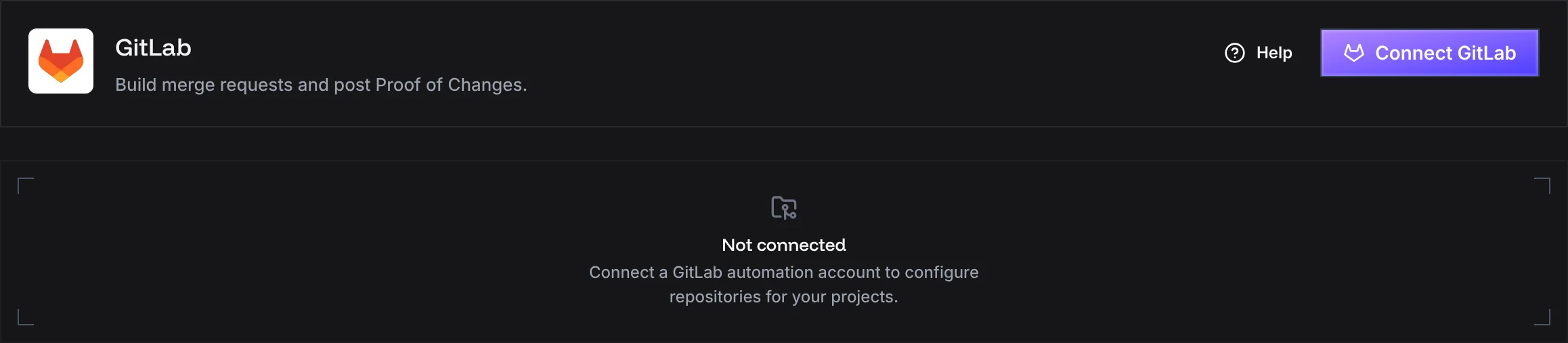
Connect GitLab.com or a self-managed GitLab instance with an automation token, then build merge requests and post Proof of Changes on them. An owner or admin connects it with revyl gitlab connect. Set up GitLab.

The GitLab integration page with a Connect GitLab button

October 21, 2026

Uploads and runs now follow your Git branch, so a build lands where your code lives.

This release also sets a new app’s default branch from its first upload, reuses matching native builds across branches for Expo and React Native apps with fingerprinting on, and opens Atlas on All branches when a link names no branch.

Git branch detection

Upload without picking a branch, and the build goes to your current Git branch. Automatic runs try that branch first, then fall back to your app’s default branch. Explicit branches, exact builds, and saved choices still win. Prefer the default branch? Turn off Automatic Git branch detection in App settings → Build branches.

The Automatic Git branch detection switch in an app's Build branches settings

October 16, 2026

You can now ask Atlas about your app and get answers tied to the exact screens. Builds also get branches, and the web app works on your phone.

This release also adds app icons and an App settings page, breadcrumbs on nested pages, and build caches in your home folder.

Atlas Chat

Ask a question from the bar on your Atlas map. It reads your screens, builds, tests, and reports, and links its answer to the exact captures. Use it to find issues, explore flows, or compare two builds. Findings open as a canvas you can share.

Atlas Chat is rolling out now. If you don’t see it yet, ask us to turn it on for your team.
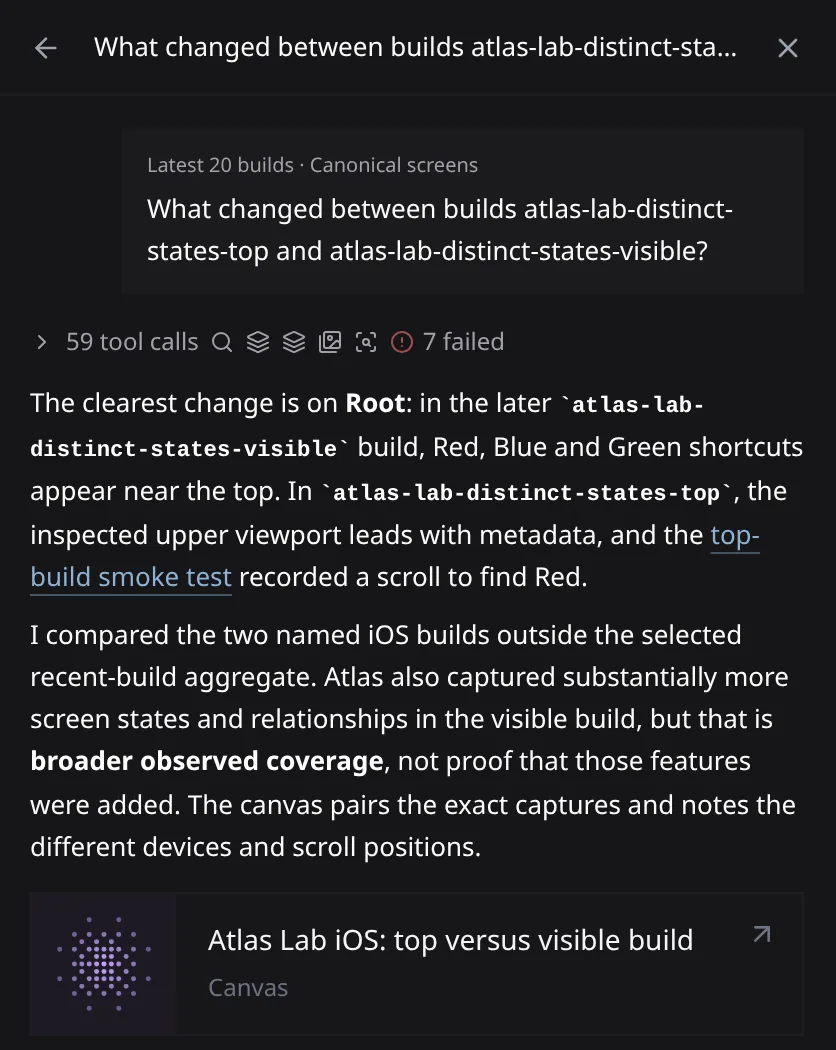
An Atlas Chat answer comparing two builds of a demo app, with a link to a smoke test and a shareable canvas

Build branches

Open Build branches in your app’s settings to create branches and set each one’s default build. When you start a run, pick a branch, then Automatic, Latest build, or an exact build. From the CLI, pass --branch.
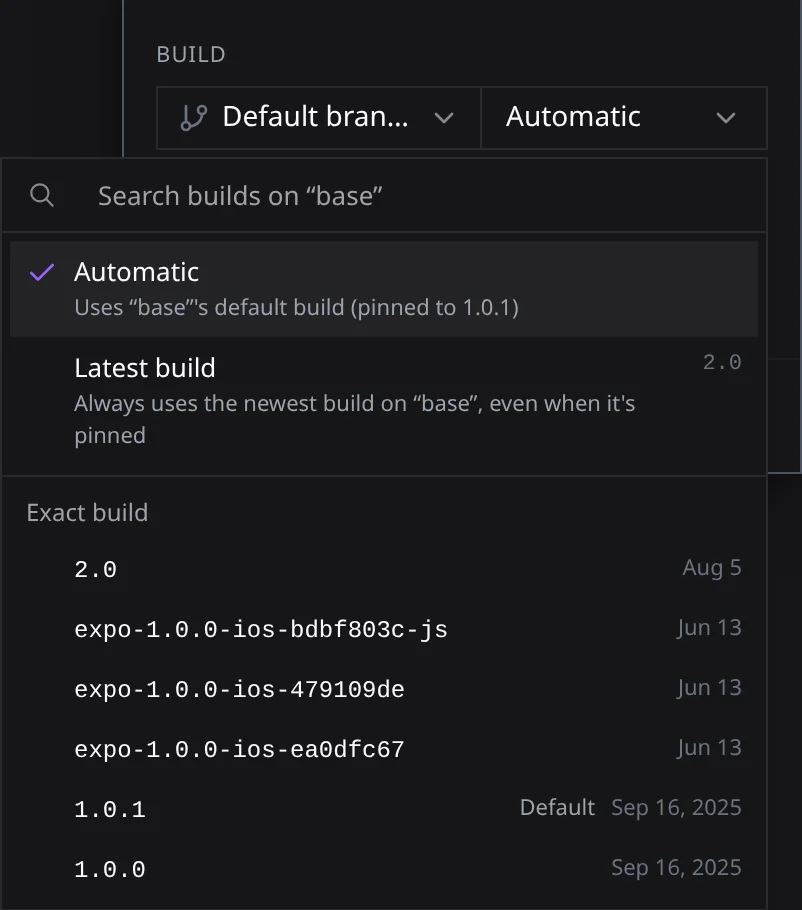
The build picker in the Start session dialog, showing Automatic, Latest build, and exact builds on the base branch

Revyl on your phone

Every screen in the web app now fits a phone. Lists stack into cards, dialogs open as bottom sheets, and controls are sized for touch.
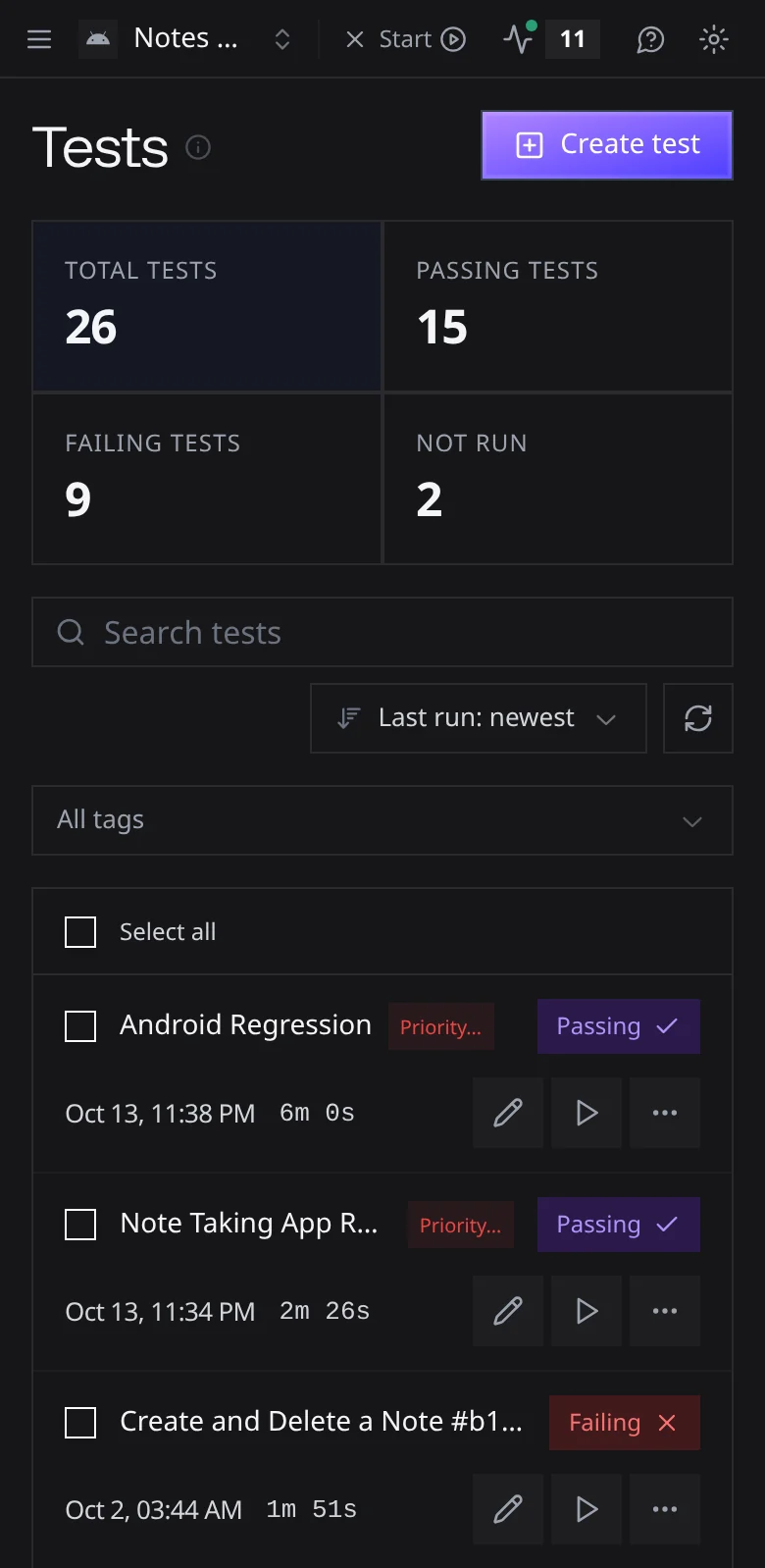
The Tests page on a phone, with a sort control, a Select all row, and tests shown as stacked cards

Atlas filters for device and runtime

Filter an Atlas map by device model and OS from the Device & runtime panel in the scope control. The filter stays in the URL, so you can share it. Run again on an exploration report now fills in the previous run’s settings.
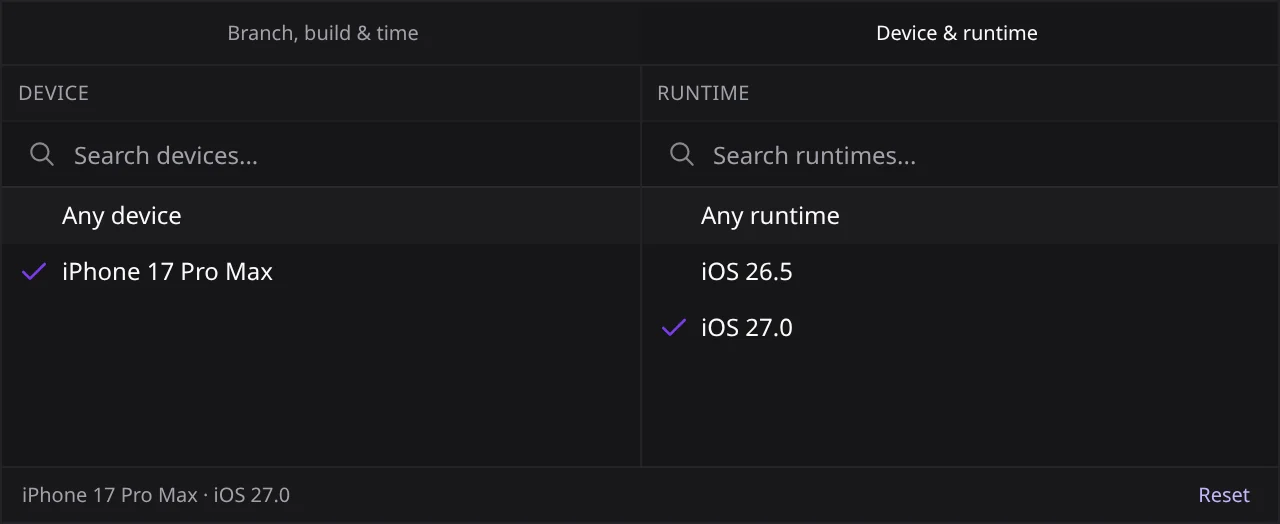
The Device and runtime panel in the Atlas scope control, filtered to iPhone 17 Pro Max on iOS 27.0

Other fixes

Dragging a large .app folder into an upload no longer drops files. Remote builds that need Git credentials fail right away instead of waiting until they time out. Findings show again on reports linked to an exploration. Signing in again takes you back to the link you opened. The CLI no longer creates a duplicate run when a response is lost.


October 2, 2026

Every build in your organization now lives in one place. Remote builds can also sign your app and upload it to App Store Connect or Google Play.

This release also adds app-scoped navigation, a queue for runs at your device limit, a simpler first run, revyl feedback, private share links from the CLI, and iOS 27.0.

The Builds page

Open Builds in the sidebar to see every build, live ones first. Open one to see each step with its own logs. If a build fails, copy the Agent handoff.

Signed store builds

Remote builds can now sign a release build with your own certificate or keystore, then upload it to App Store Connect or Google Play. Your build commands don’t change. The Signed Store Builds guide covers both platforms.

One app at a time

Pick an app in the top bar and the product scopes to it. Its Overview shows sessions, builds, proof runs, and device time.

Queued runs

When every device is busy, new runs wait in a queue instead of failing. Interactive sessions go first. The capacity indicator on the Sessions page shows what’s running and what’s waiting.

Other fixes

A failed quarantined test no longer fails its workflow. Tests stay running when a step fails partway through. Validations pass on the screenshot check, with video as a fallback. Explorations that hit a dead end finish as completed. CLI errors show the real cause instead of “test not found”.

September 18, 2026

Proof of Changes now tells you how ready a pull request is, not just pass or fail. revyl build also runs in the cloud by default.

This release also adds push notifications on iOS cloud devices, comments and Cursor in the Atlas canvas, a Builds tab in Live Monitor, and proxy support in the CLI.

Proof of Changes verdicts

Every proof now ends as Ready, Ready with polish, Ready with issues, Failed, or Inconclusive. Each write-up scores its confidence from 1/5 to 5/5 and links real problems to their Atlas threads. Find every run under Cloud Agents → Proof of Changes. Read about Proof of Changes.

Cloud builds by default

revyl build now builds on Revyl’s cloud runners instead of your machine. Add --local to keep building locally. Cloud builds use compute credits, and a failed one never falls back to a local build. Set up remote builds.

Push notifications on iOS

revyl device push sends a notification to your app in a live iOS session. You don’t need a push token, a signed build, or the push entitlement. Your app still has to allow notifications.

Other fixes

Android live views no longer get stuck on “Waiting for device screen”. iOS text entry no longer reports success on an empty field. Slow iOS launches no longer time out, and a crash on launch now shows in the report. Proof of Changes no longer sticks on “Waiting for CI build” after an upload to a draft pull request.

September 4, 2026

GitHub automation is out of early access. Install the Revyl GitHub App, and any workspace gets pull request previews and repository config. Atlas comments also get mentions and an Inbox.

This release also adds preview links that always open the latest build, a Current map view in Atlas, session IDs for device commands in the CLI, and video downloads from reports.

GitHub automation for every workspace

Install the Revyl GitHub App on a repository, then add it from the GitHub integration settings. Pull requests use the Revyl config from their own commit, so a config change gets checked in the same pull request. Push a valid config to your default branch, and the project is created for you. Read the GitHub docs.

Mentions and an Inbox in Atlas

@mention a teammate in an Atlas comment. Mentions, replies, and status changes land in your Inbox. Comments can carry files, and threads can be marked Blocker, Issue, or Polish.

Each app now has one preview link that always opens its latest build. Copy it from the app’s menu on the Apps page, and share one link instead of a new one for every upload.

Other fixes

Device video shows up as soon as the stream is ready. iOS sessions no longer fail to start when a notification covers the app. Dates like “today” in test steps use the device’s time zone. Remote builds can pull private GitHub dependencies. An Android emulator crash a few seconds after launch is fixed. Viewers can no longer run or delete workflow runs.

August 21, 2026

You can now put a live cloud device running your app on any web page. Your team can also comment right on Atlas screens.

This release also adds Explore from the CLI, compiler caching for remote builds, ordered iOS launch arguments, and screenshot exports from reports.

Live device embeds

Open a build, choose Configure > Public embed, and paste the snippet into your site or docs. Visitors click Start live demo and use your app on a cloud device, right on the page. Attach launch variables to open it signed in to a demo account. Read the embed guide.

Comments in Atlas

Turn on Annotate and pin a comment to any spot on a screen. Reply and resolve from the Comments rail, and see who else is in the map while you work. Coding agents can read and resolve threads from the CLI.

Explore from the CLI

revyl explore run starts Explore from your terminal or CI and shows progress until the Atlas map is ready. Explore from the CLI.

Other fixes

Clearing a field on Android now checks that it’s empty. Android deep links keep every query parameter. Flutter apps that use Impeller no longer crash on Android. The build page no longer freezes in Safari. Some iOS sessions no longer drop touch input. Closing a pull request preview tab releases the device.

August 7, 2026

Expo builds now skip the native rebuild when only your JavaScript changed. Proof comments on pull requests show screenshots inline, with no sign-in needed.

This release also adds secret launch variables.

Expo builds reuse native work

Revyl fingerprints the native side of your Expo app. If a matching build already exists, Revyl repacks it with your new JavaScript instead of rebuilding iOS or Android. It’s on by default. Read about fingerprinting.

Evidence in pull requests

Proof comments now show screenshots and GIFs right in the comment, with a link to a shared report. Reviewers don’t need a Revyl account to see them.

Secret launch variables

Mark a launch variable as secret, and it’s encrypted and write-only. Reports keep it masked and show everything else.

July 31, 2026

Take a screenshot on a live device and drag it straight into another app. Atlas onboarding now maps your app from one card.

This release also opens Cloud Agent Conversations to every organization and keeps device controls close in narrow windows.

Drag screenshots out

Click the camera button in the live device toolbar. A preview shows up in the corner. Drag it into any app, and it lands as a PNG.

Atlas mapping during onboarding

Answer one optional question about logging in, and Atlas starts mapping your app without leaving the setup timeline.

Device sessions in narrow windows

Under 1024 pixels wide, a session switches to a simulator-only view. Share, Shake, and Rotate stay right beside the device.

01

See it for yourself. Start free.

Open a cloud device and try what we just shipped.

Start free Get a demo